
What Substances to Avoid When Cleaning Your Computer Screen
Using the wrong cleaning products on your computer screen can cause irreversible damage. Learn which substances to avoid and how to clean safely.
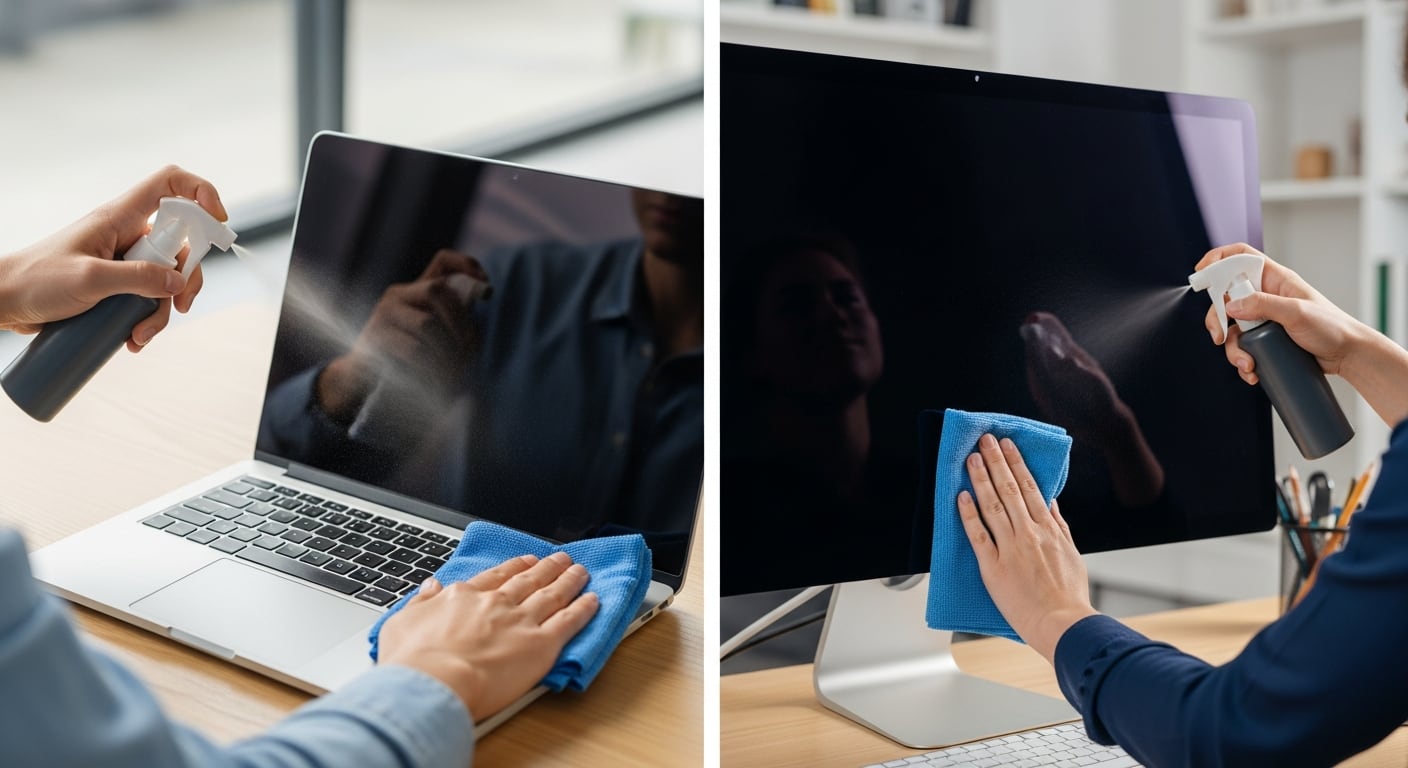
The risk of using improper products on electronic screens
Proper maintenance of electronic devices, especially computer monitors, largely depends on knowing which cleaning products are safe to use. Many users, in an effort to keep their screens free of smudges and dust, turn to common household cleaners without realizing these can cause irreversible damage to both the surface and internal components. Modern screens—whether LCD, LED, or OLED—are coated with thin protective layers that guard against glare, scratches, and fingerprints. These layers are sensitive to certain chemicals, and their degradation can negatively impact image quality, clarity, and visual contrast. Using aggressive substances may seem effective in the short term but can lead to long-term deterioration that affects both performance and longevity.
Dangers of using traditional glass cleaners
One of the most common mistakes is using traditional glass cleaners—often containing ammonia—on computer screens. While these products are effective on regular glass surfaces, their chemical formulation is too harsh for electronic displays. Repeated use can wear down anti-reflective coatings, leading to permanent stains, loss of transparency, or a hazy appearance. Moreover, if the liquid seeps through the monitor’s edges, there’s a real risk it could reach internal circuits, potentially causing short circuits or permanent electronic failure. This type of damage is typically classified as user-induced, which often voids the device’s warranty, making it a preventable yet costly error.
Risks associated with common or low-concentration alcohol
Another frequently misused product is common or low-concentration alcohol, such as ethanol found in household disinfectants or alcoholic beverages. While high-purity isopropyl alcohol (above 90%) is sometimes recommended for cleaning electronic components, lower-grade or diluted alcohol can be harmful to screens. These compounds may dissolve the plastic or polymer coatings protecting LCD and LED displays, leading to discoloration, micro-cracks, or an uneven texture. Repeated exposure gradually degrades the surface, affecting not only the monitor’s appearance but also its functionality. Over time, this can result in reduced visibility and compromised viewing experience.
Ammonia: a highly corrosive substance
According to AG Neovo, a well-known manufacturer of professional monitors, ammonia ranks among the most dangerous substances for computer screens. Its high corrosive power can immediately attack the panel’s protective layers, causing color distortion, loss of brightness, and irregular texture. Cleaning products containing ammonia—common in many multipurpose cleaners—not only degrade the visible surface but may also react with materials in the frame or internal electronics. Because ammonia-related damage is easily identifiable, manufacturers often reject warranty claims if its use is detected, making it an unnecessary and avoidable risk for users.
Dangers of aerosol-based multipurpose cleaners
Aerosol-based multipurpose cleaners pose another significant risk. These products typically contain complex mixtures of solvents, surfactants, and degreasers that, while effective on other surfaces, are unsuitable for electronic screens. The aerosol format increases the likelihood of liquid dispersion and seepage into monitor seams, potentially reaching sensitive components such as circuit boards, connectors, or power supplies. Additionally, many of these cleaners leave behind sticky residues that attract more dust and dirt, creating a cycle of constant cleaning that can worsen the problem. These cleaners are not designed for delicate electronic environments, and their use should be completely avoided.
Safe and manufacturer-recommended cleaning methods
To ensure safe and effective cleaning, manufacturers like Dell recommend using a clean, soft, lint-free cloth—preferably microfiber. The cloth should be slightly dampened with distilled water or a specialized screen cleaning solution, never applied directly to the screen. This method prevents liquid infiltration and protects the monitor’s sensitive layers. It’s also essential to power off and unplug the device before cleaning to minimize electrical risks. Improper use of chemical cleaners can lead to visual distortions, persistent stains, color dulling, or a milky film that impairs the viewing experience. These types of damages, classified as user-caused, are typically excluded from warranty coverage, making proper cleaning practices a crucial investment in the device’s lifespan.
Related articles

Elon Musk Plans Space Data Centers to Ease AI Energy Crisis
The escalating energy demand for artificial intelligence and terrestrial data centers is driving SpaceX to explore space-based solutions, with Starship being key to economic viability.
Windows 95 Runs on Texas Instruments Graphing Calculator
A modder successfully ported Windows 95 to a TI-Nspire CX II, showcasing modern calculator hardware capabilities.

SpaceX IPO Values Company at $1.77 Trillion on Nasdaq
SpaceX's anticipated public offering on the Nasdaq positions it as the seventh most valuable U.S. listed company, marking a significant financial milestone.
Latest news
View all
US Government Suspends Access to Anthropic's Fable 5 and Mythos 5 AI Models
A national security directive forces Anthropic to disable its advanced AI models, Fable 5 and Mythos 5, for all customers starting June 12, 2026.

Google Launches Gemini 3.5 Live Translate for Instant Voice Translation
Google expands real-time translation availability with Gemini 3.5 Live Translate, offering lower latency and support for over 70 languages.

Humanoid Robot Pemba Climbs Chimborazo, Sets Sights on Everest Summit
The humanoid robot Pemba, an adaptation of the Unitree G1, recently ascended over 6,000 meters on Chimborazo and now aims to conquer Mount Everest. This technological feat paves the way for new forms of exploration in extreme environments.
Comments (0)
No comments yet. Be the first!
Leave a comment