
Transform Your Linux PC into a Steam Deck: The Ultimate Gaming Guide
Discover how to turn your Linux computer into a powerful Steam Deck-like gaming machine. Valve, with SteamOS and Proton, democratizes access to thousands of Windows titles.

Transforming your Linux PC into a Steam Deck-like gaming machine is now an exciting reality. Valve, with its innovative SteamOS and the Proton compatibility layer, has democratized access to thousands of Windows titles directly on Linux systems. This capability offers a fantastic alternative for those seeking a robust gaming experience without purchasing a Steam Deck or the upcoming Steam Machine.
Steam stands as the most popular PC gaming platform on the market, known for its competitive prices, constant sales, and ease of game installation and updates. Its venture into hardware with the Steam Deck, a portable Linux-based console, was a resounding success. Furthermore, the community eagerly anticipates the launch of the Steam Machine, a desktop console that will also run on Linux.
Valve's SteamOS project, though initially perceived as a risky gamble, proved to be visionary. Historically, PC gaming was dominated by Windows, which still accounts for 92% of Steam players today. However, the 5% of Linux users is significant and steadily growing. This progress is largely due to Valve's tireless work and the collaboration of thousands of developers and players who made over 20,000 games compatible with Steam Deck.
If you do not own a Steam Deck but dream of an experience similar to what the Steam Machine will offer, your Linux PC can be the solution. Converting your computer into a Steam gaming machine is a manual and laborious process, distinct from the simplicity of turning on a console. Nevertheless, it is an accessible and rewarding alternative for enjoying a vast catalog of titles.
Valve, with its innovative SteamOS and the Proton compatibility layer, has democratized access to thousands of Windows titles directly on Linux systems.
The heart of this transformation is Proton, a key component of SteamOS. This open-source compatibility layer, built upon Wine, allows Windows games to run without needing to install the entire operating system. Wine, in turn, efficiently emulates Windows components, optimizing your computer's performance and resource consumption. Even Apple adopted this technology in its Game Porting Toolkit to bring Windows games to Mac, iPad, or iPhone.
Another crucial element is Gamescope, the window manager for SteamOS. This open-source software optimizes the visual experience and performance of games on Linux. Gamescope ensures that titles run at their native resolution and refresh rate, reducing latency and enhancing overall fluidity. Its implementation is vital for achieving total immersion in every game session.
At Tricuatro, we celebrate these innovations that bring high-quality gaming closer to more people. The ability to turn your Linux PC into a powerful gaming platform is a testament to the power of open-source software and the vision of companies like Valve. Dare to explore this universe and take your gaming experience to the next level!
Article topics
Related articles

Windows Drops NTLM: Microsoft Boosts Security with Kerberos
Microsoft is taking a crucial step to bolster security in Windows 11, announcing the deprecation of NTLM, its oldest authentication protocol, in favor of Kerberos.

Stuntman Hollywood: Returns After 19 Years to PS5, Xbox Series, and PC
The iconic action and vehicular stunt franchise makes its comeback courtesy of Saber Interactive, promising a dose of nostalgia and adrenaline for the new generation.

Tomb Raider: Legacy of Atlantis Arrives February 2027 with Pre-Order Bonuses
Crystal Dynamics and Amazon Games announce the release date for the reimagining of the 1996 classic, along with details on editions and exclusive pre-order content.
Latest news
View all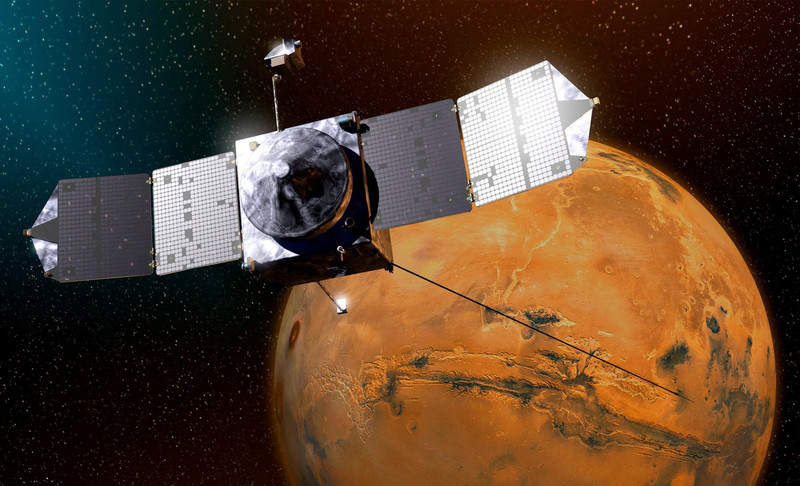
NASA's Maven Mars Orbiter Declared Out of Service After Six Months of Silence
Following an anomaly that disrupted its orbit and depleted its batteries, the Maven spacecraft, vital for understanding Mars' atmosphere, has ended its active mission. Its scientific data remains an invaluable legacy.

NASA Reveals New Path for Earth's Essential Life Elements
A recent study, published in Science Advances, uncovers how early Earth may have received phosphorus and nitrogen, highlighting Jupiter's critical role.
Google Launches Gemma 4 12B: Local AI for Your Laptop with 16GB RAM
Google's new artificial intelligence model aims to democratize access to generative AI, allowing it to run on average consumer computers.
Comments (0)
No comments yet. Be the first!
Leave a comment