
GitHub Enhances Coding with AI: Model Selection for Claude and Codex Agents
GitHub now allows users to directly select advanced AI models from Anthropic and OpenAI for their coding agents, boosting development workflows.
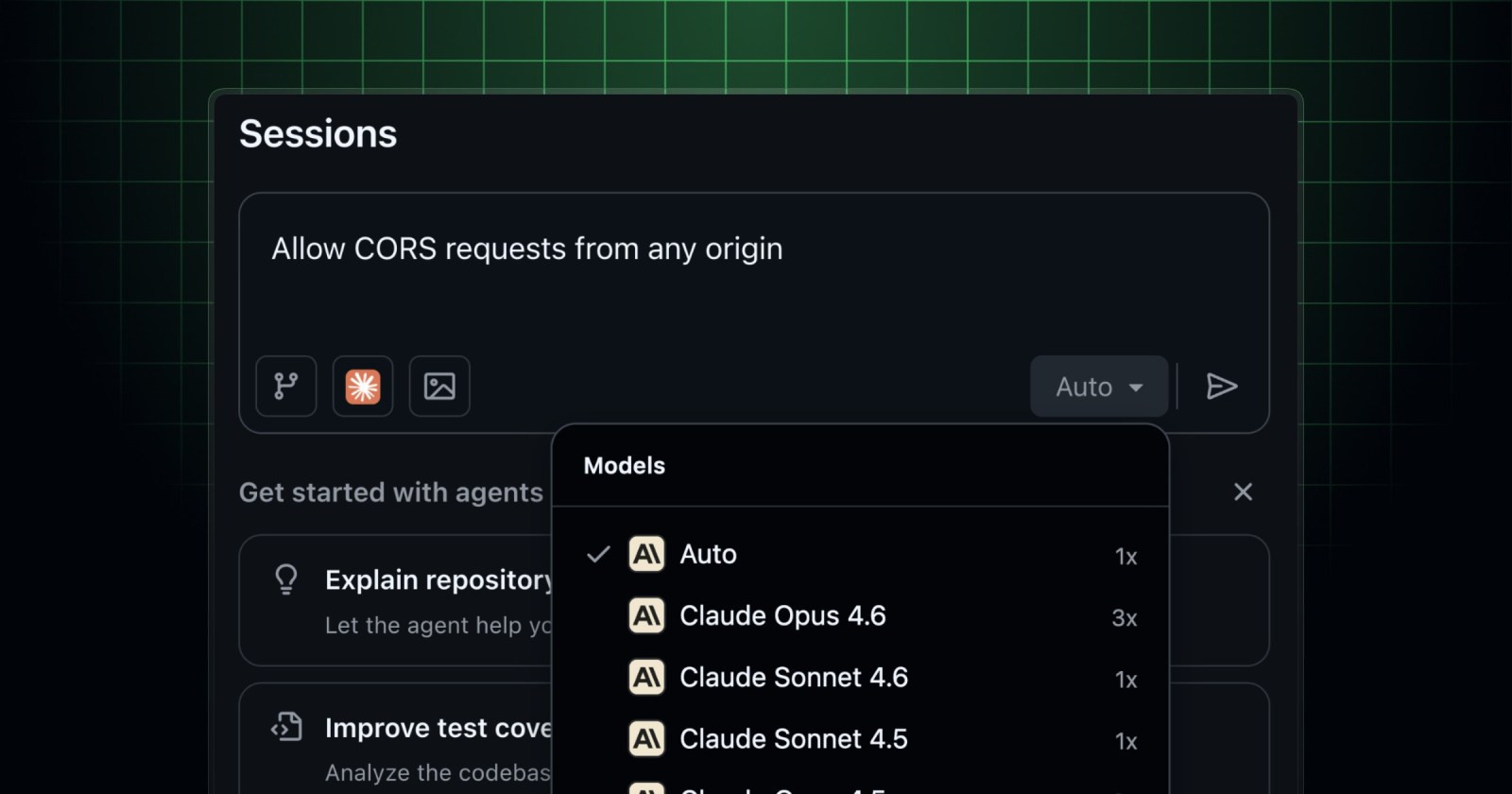
GitHub has rolled out a significant feature for the developer community: model selection for third-party coding agents Claude and Codex. This new capability empowers users to choose from the latest and most capable models from Anthropic and OpenAI, directly within the platform.
This update marks a major step forward for those looking to optimize their workflow. Similar to the Copilot cloud agent, you now have the control to specify which AI model you want to assist you with each task. This means direct access to cutting-edge AI-powered coding assistance, tailored to your specific needs.
When utilizing the Claude coding agent, developed by Anthropic, you gain access to a range of large language models (LLMs) renowned for their advanced reasoning and ability to handle complex tasks. The currently available models include:
- Claude Sonnet 4.6
- Claude Opus 4.6
- Claude Sonnet 4.5
- Claude Opus 4.5
Conversely, if you opt for the Codex coding agent, powered by OpenAI, you also have powerful options at your disposal. Codex is well-regarded for its proficiency in understanding and generating code across multiple programming languages. The models you can select are:
- GPT-5.2-Codex
- GPT-5.3-Codex
- GPT-5.4
You now have the control to specify which AI model you want to assist you with each task.
Accessing these powerful tools is straightforward if you are an existing Copilot subscriber. Claude and Codex functionality is included with your current subscription, making integration into your ongoing projects seamless. There is no need to acquire additional licenses to start experimenting with this enhancement.
For Copilot Business or Enterprise subscribers, it is crucial that your organization's administrator enables the relevant policy for Anthropic Claude or OpenAI Codex. Additionally, the repository owner or organization must activate the agent from "Settings > Copilot > Cloud agent". It's that simple to start supercharging your code with the most advanced AI!
Article topics
Related articles

Google Launches Gemma 4 12B: Local AI for Your Laptop with 16GB RAM
Google's new artificial intelligence model aims to democratize access to generative AI, allowing it to run on average consumer computers.

Nvidia Challenges Intel and AMD with RTX Spark Superchip for PCs
Nvidia introduced RTX Spark, a processor promising to bring advanced artificial intelligence directly to your PC, without cloud dependence, and boost gaming to unprecedented levels on conventional machines.

Anthropic's Claude Opus 4.8 boosts "honesty" and reduces code flaws
Anthropic's new AI model, Claude Opus 4.8, launches this Thursday with a focus on transparency and error reduction, giving users more control over computational effort.
Latest news
View all
Stuntman Hollywood: Returns After 19 Years to PS5, Xbox Series, and PC
The iconic action and vehicular stunt franchise makes its comeback courtesy of Saber Interactive, promising a dose of nostalgia and adrenaline for the new generation.

NASA's Maven Mars Orbiter Declared Out of Service After Six Months of Silence
Following an anomaly that disrupted its orbit and depleted its batteries, the Maven spacecraft, vital for understanding Mars' atmosphere, has ended its active mission. Its scientific data remains an invaluable legacy.

Windows Drops NTLM: Microsoft Boosts Security with Kerberos
Microsoft is taking a crucial step to bolster security in Windows 11, announcing the deprecation of NTLM, its oldest authentication protocol, in favor of Kerberos.
Comments (0)
No comments yet. Be the first!
Leave a comment