
Ugreen Maxidok 10-in-1 Thunderbolt 5 Dock Review: Mini Dock or Super Hub?
We review the Ugreen Maxidok 10-in-1 Thunderbolt 5, a compact docking station promising cutting-edge connectivity, yet featuring some design and functionality quirks that warrant consideration.

Ugreen, a well-known name in tech accessories, has introduced its Maxidok 10-in-1 Thunderbolt 5 docking station, positioning it as a more accessible and compact alternative to its flagship 17-port model. This new device aims to meet the connectivity needs of users who require a balance between performance and a more discreet form factor. The central question is whether this Maxidok 10 succeeds as a comprehensive and powerful solution, or if its characteristics lean more towards an advanced hub rather than a full-fledged dock. Its compact design and a more limited number of ports compared to other Thunderbolt 5 options on the market, such as the CalDigit Thunderbolt 5 Element 5 Hub, place it in an interesting category, promising high speed and efficiency for modern work environments.
Cutting-Edge Connectivity and Power Delivery
At the core of the Ugreen Maxidok 10-in-1 lies its support for Thunderbolt 5 technology, offering a high-speed connectivity experience. It features one upstream Thunderbolt 5 port, capable of reaching speeds of 80Gbps, with peaks up to 120Gbps, and an impressive 100W Power Delivery to charge your MacBook. Additionally, it incorporates two downstream Thunderbolt 5 ports, each providing 80Gbps and 15W of power, ideal for connecting high-resolution monitors or ultra-fast external storage devices. Versatility extends with three 10Gbps USB-A ports, suitable for peripherals and accessories, albeit with a 4.5W power output. For display management, it includes a DisplayPort 2.1, and for a stable internet connection, a 1Gb Ethernet port. Finally, for creative professionals and users handling multimedia files, it offers UHS-II SD and MicroSD card readers, with speeds up to 170MBps, facilitating rapid data transfer.
Design Peculiarities and Power Supply Considerations
Despite its promising specifications, the Maxidok 10-in-1 presents some design decisions that might be perplexing for certain users. One of the most notable is the inclusion of a non-detachable upstream Thunderbolt 5 cable, measuring 0.8 meters (2.6 feet). This feature limits flexibility, as it prevents the user from replacing it with a longer cable if their setup requires it, unlike most docks that offer an open port. Another point to consider is the power output of its USB-A ports (4.5W), which, while sufficient for many peripherals, could be limited for fast charging certain devices. The dock's overall power supply is 140W, which is adequate for powering its functions and the 100W MacBook charge, but the distribution to downstream and USB-A ports could be more robust. The choice of a DisplayPort instead of a third Thunderbolt port also reduces flexibility for multi-monitor setups or Thunderbolt device daisy-chaining.
Notable Absences and Card Reader Performance
Continuing with the peculiarities, the Ugreen Maxidok 10-in-1 omits an audio port, a feature many users consider essential in a docking station for connecting external headphones or speakers without relying on the computer's port. This absence might force users to seek alternative solutions or additional adapters. Regarding the SD and MicroSD card readers, although they are UHS-II and offer speeds up to 170MBps, the review suggests they are not as fast as they could be, which might be a limiting factor for professionals working with large volumes of data and seeking maximum transfer efficiency. These design decisions, while contributing to its compact form factor and perhaps a more competitive price, represent a compromise between full functionality and simplicity.
Verdict: Mini Dock or Super Hub?
Ultimately, the Ugreen Maxidok 10-in-1 Thunderbolt 5 presents itself as a decent and remarkably compact docking station. If your requirements align with its specifications and you can overlook its peculiarities, it could be an effective solution for your workspace. However, design decisions such as the non-detachable upstream cable, limited power options on some ports, the preference for DisplayPort over an additional Thunderbolt port, the absence of an audio port, and the card readers' speed, make it a device that generates some perplexity. It is not as comprehensive as a high-end dock, but it offers more than a simple hub. It positions itself at an intermediate point, ideal for users seeking the advantages of Thunderbolt 5 in a reduced form factor and at a more accessible price, provided their specific needs do not clash with the aforementioned peculiarities. It is a device that, while not perfect, delivers on its promise of high-speed connectivity in a compact package.
Article topics
Related articles

Windows Drops NTLM: Microsoft Boosts Security with Kerberos
Microsoft is taking a crucial step to bolster security in Windows 11, announcing the deprecation of NTLM, its oldest authentication protocol, in favor of Kerberos.

Chrome Bolsters Security with DBSC Against Cookie Theft
Google Chrome has rolled out a new DBSC feature, linking sessions to your hardware to protect accounts from credential theft attacks.

Roku's home screen gets an AI-powered refresh for 2026
Roku is rolling out a significant update to its main interface, promising a more personalized experience with integrated advertising.
Latest news
View all
Stuntman Hollywood: Returns After 19 Years to PS5, Xbox Series, and PC
The iconic action and vehicular stunt franchise makes its comeback courtesy of Saber Interactive, promising a dose of nostalgia and adrenaline for the new generation.
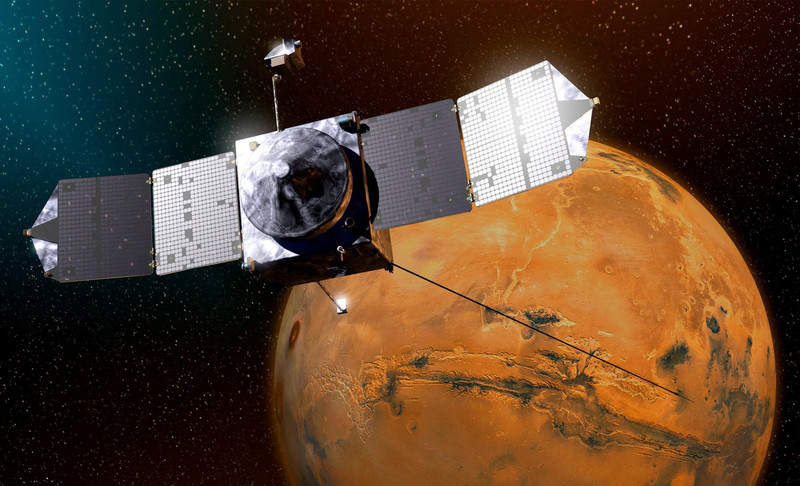
NASA's Maven Mars Orbiter Declared Out of Service After Six Months of Silence
Following an anomaly that disrupted its orbit and depleted its batteries, the Maven spacecraft, vital for understanding Mars' atmosphere, has ended its active mission. Its scientific data remains an invaluable legacy.

NASA Reveals New Path for Earth's Essential Life Elements
A recent study, published in Science Advances, uncovers how early Earth may have received phosphorus and nitrogen, highlighting Jupiter's critical role.
Comments (0)
No comments yet. Be the first!
Leave a comment