
How to Detect and Prevent Smartphone Espionage: A Comprehensive Guide
Smartphone espionage is a growing threat jeopardizing sensitive information. This article details how cybercriminals compromise devices, key warning signs of intrusion, and essential measures to protect your digital privacy.
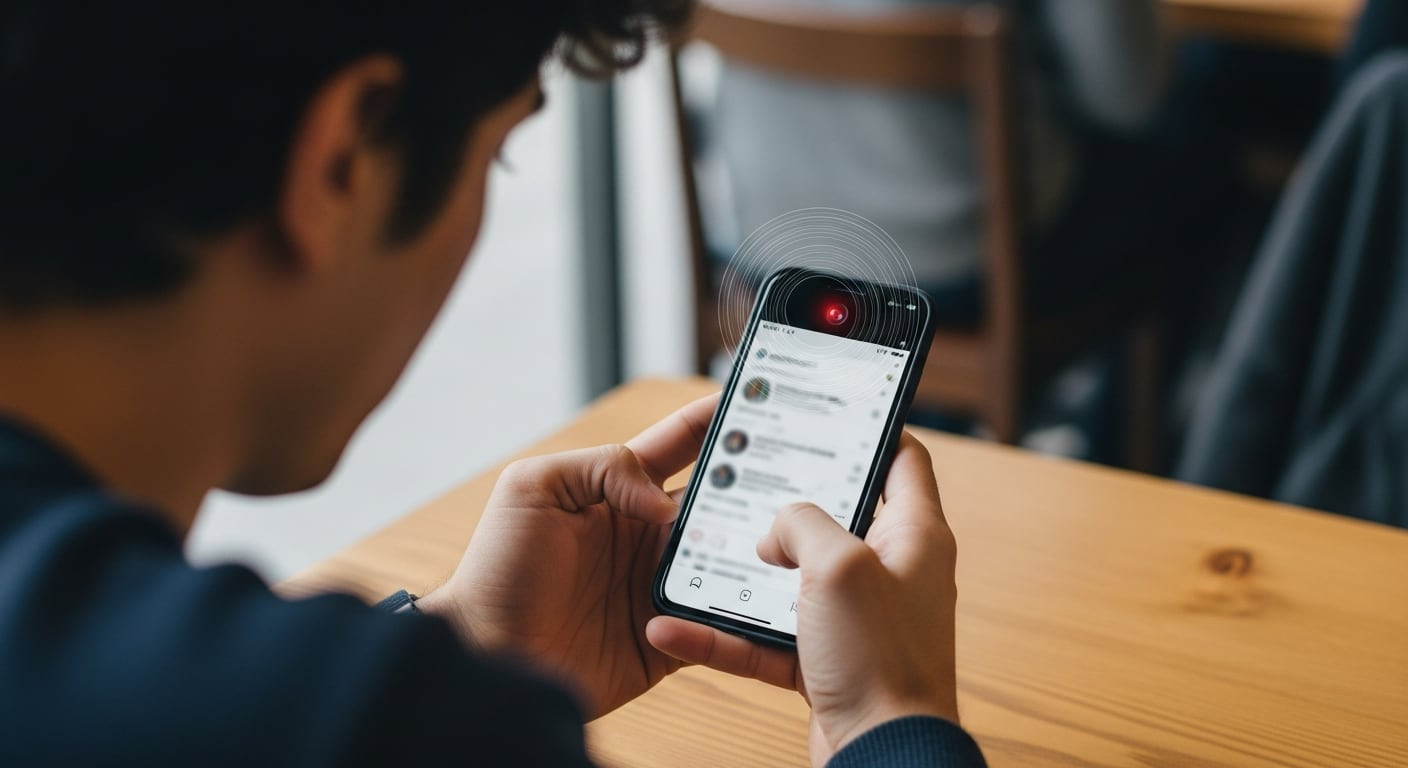
In today's digital age, where our smartphones have become indispensable extensions of our personal and professional lives, the threat of digital espionage is more prevalent and sophisticated than ever. Far from being a mere science fiction scenario, unauthorized access to our mobile devices represents one of the most dangerous and challenging risks to detect, with consequences ranging from identity theft and financial scams to the exposure of highly sensitive personal and professional information. Cybercriminals, and even malicious actors with personal motivations, employ increasingly advanced techniques to infiltrate our phones, extracting data such as passwords, photos, call logs, emails, and location data, often without leaving obvious traces for the victim. Understanding how these attacks operate and what signs to look for is the crucial first step in safeguarding our digital privacy.
How Cybercriminals Operate to Spy on a Smartphone
The methods attackers use to compromise a smartphone are varied, but two of the most common and effective involve the installation of malicious software and the exploitation of insecure networks. Malware installation, specifically spyware, is one of the predominant tactics. This often occurs when users download applications from unofficial sources, such as third-party app stores or direct links from compromised websites, or fall victim to phishing scams that trick them into installing seemingly legitimate software. Once installed, spyware operates silently in the background, granting the attacker almost complete remote control over the device. This allows them to intercept text messages, record calls, activate the microphone or camera, track GPS location, and access all stored files, effectively turning the smartphone into a personal surveillance tool.
Another significant point of vulnerability is public Wi-Fi networks. While convenient in crowded places like cafes, airports, and shopping centers, these networks often lack adequate security measures. When connecting to an unencrypted public Wi-Fi network, a user's personal data traffic can be easily intercepted by malicious third parties operating on the same network. Through techniques like "Man-in-the-Middle" attacks, cybercriminals can capture passwords, banking information, browsing details, and other confidential data in real-time. They can even create fake Wi-Fi hotspots, mimicking legitimate networks, to trick users into connecting and stealing their information. This inherent lack of security in public networks exponentially increases the chances of espionage and data theft if proper precautions are not taken.
Warning Signs to Detect Espionage on Your Mobile
Although spyware is designed to be stealthy, several warning signs can indicate the presence of malicious software or suspicious activity on your device. One of the most unsettling is the appearance of ads or suggestions related to topics you've recently discussed near your phone, without actively searching for them. While advertising algorithms are increasingly sophisticated, an overly direct correlation could suggest an app is improperly accessing your microphone or invasively collecting data. Another clear indicator is an unusual and sudden drain on battery life or mobile data usage. Spyware applications, by constantly operating in the background, transmitting information, and utilizing functions like GPS, demand significant resources, leading to faster battery depletion and an inexplicable increase in data consumption.
Furthermore, detecting unknown applications or apps you don't recall installing is an unequivocal sign of potential intrusion. Attackers often install spyware disguised as harmless applications or directly inject malicious code. Also, pay attention to alerts or notifications about background activity from apps that shouldn't be active, or a general decline in device performance, such as slowness, frequent crashes, unexpected reboots, or constant overheating without apparent intensive use. Strange noises during calls, like echoes or clicks, could also be a symptom. The presence of any of these symptoms warrants an immediate review of the permissions granted to installed applications and the use of reliable security tools to scan for and detect potential threats.
Protection Measures and Recommended Habits
To significantly minimize the risk of smartphone espionage and protect your digital privacy, it is crucial to adopt a series of proactive security practices. First, periodically restarting your device is a simple yet effective measure, as it can interrupt malicious processes that might be active in the background and free up resources. The source of your applications is critical: only download software from official and trusted stores like Google Play Store for Android or the App Store for iOS. These platforms have security review processes that drastically reduce the likelihood of installing malicious applications.
Additionally, always keep your operating system and all your applications updated to the latest version. Updates often include security patches that fix known vulnerabilities cybercriminals could exploit. Regularly review and manage app permissions; if a flashlight app requests access to your microphone or contacts, it's a clear red flag. Use strong, unique passwords for all your accounts, and enable two-factor authentication (2FA) whenever possible to add an extra layer of security. Avoid connecting to public Wi-Fi networks without a Virtual Private Network (VPN), which will encrypt your data traffic and protect your information from potential interception. Finally, consider installing a reputable antivirus or anti-malware solution for your smartphone, which can scan and alert you to threats. If you strongly suspect an infection and cannot remove it, performing a factory reset (after backing up your data) may be the last resort to completely clean the device, though this will erase all your data.
Article topics
Related articles

Windows Drops NTLM: Microsoft Boosts Security with Kerberos
Microsoft is taking a crucial step to bolster security in Windows 11, announcing the deprecation of NTLM, its oldest authentication protocol, in favor of Kerberos.
Chrome Bolsters Security with DBSC Against Cookie Theft
Google Chrome has rolled out a new DBSC feature, linking sessions to your hardware to protect accounts from credential theft attacks.

Roku's home screen gets an AI-powered refresh for 2026
Roku is rolling out a significant update to its main interface, promising a more personalized experience with integrated advertising.
Latest news
View all
Stuntman Hollywood: Returns After 19 Years to PS5, Xbox Series, and PC
The iconic action and vehicular stunt franchise makes its comeback courtesy of Saber Interactive, promising a dose of nostalgia and adrenaline for the new generation.

NASA's Maven Mars Orbiter Declared Out of Service After Six Months of Silence
Following an anomaly that disrupted its orbit and depleted its batteries, the Maven spacecraft, vital for understanding Mars' atmosphere, has ended its active mission. Its scientific data remains an invaluable legacy.

NASA Reveals New Path for Earth's Essential Life Elements
A recent study, published in Science Advances, uncovers how early Earth may have received phosphorus and nitrogen, highlighting Jupiter's critical role.
Comments (0)
No comments yet. Be the first!
Leave a comment